Vintavia

Smart travel planning

Plan trips in minutes.
Customize in real-time.

Vintavia creates smart, day-by-day itineraries based on your interests, time, budget, and pace — and helps you explore places with rich context (tickets, timings, tips, and must-visits).

1
Fast planning
Itinerary in seconds
2
Map-first
Explore nearby highlights
3
Practical details
Tickets & timings

What Vintavia helps you do

From planning to exploring — without the spreadsheet chaos.

Smart itinerary builder

Generate a day-wise plan based on dates, interests, and constraints (like "free after 4 PM"). Adjust instantly with simple edits.

Place details that matter

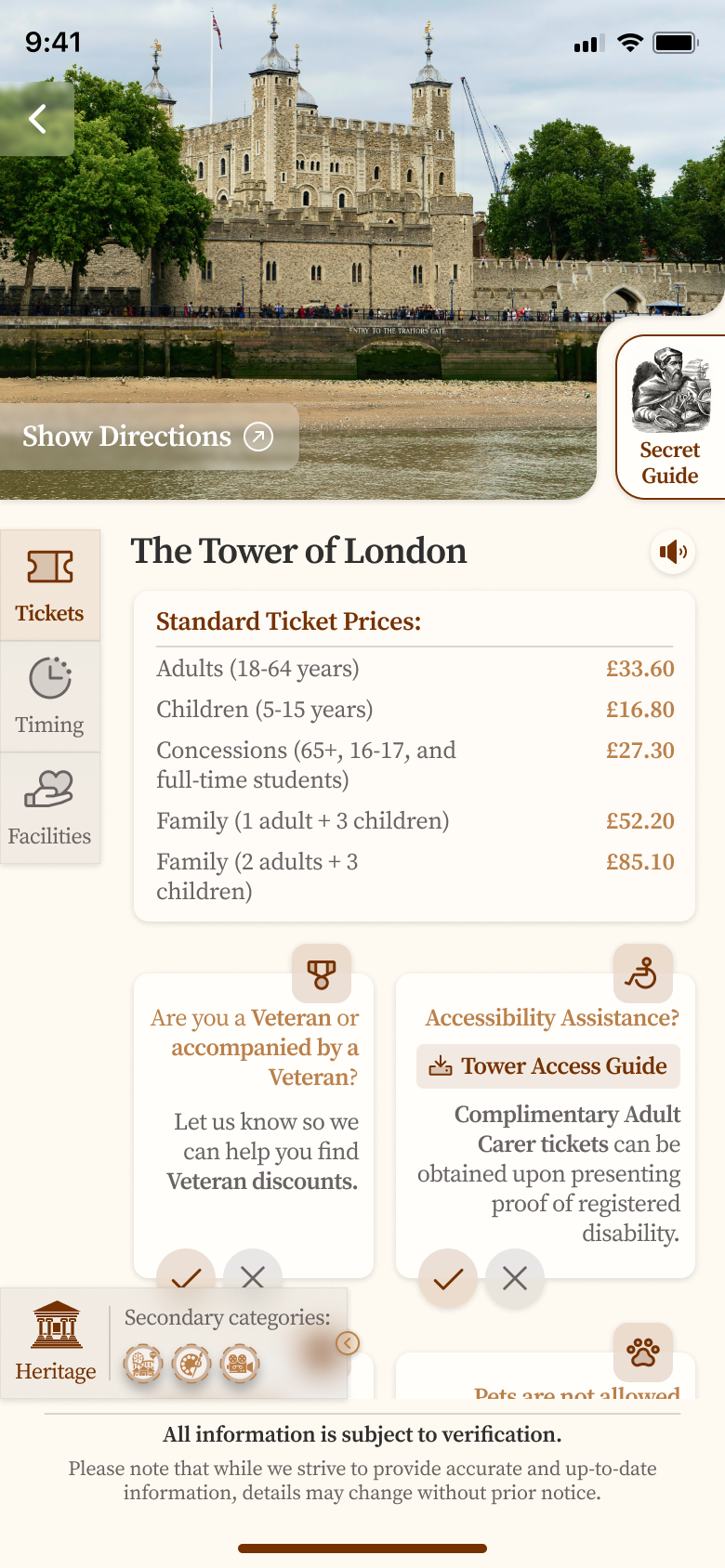
Tickets, opening times, closures, accessibility notes, and quick tips — shown in a calm, readable layout.

Map-based exploration

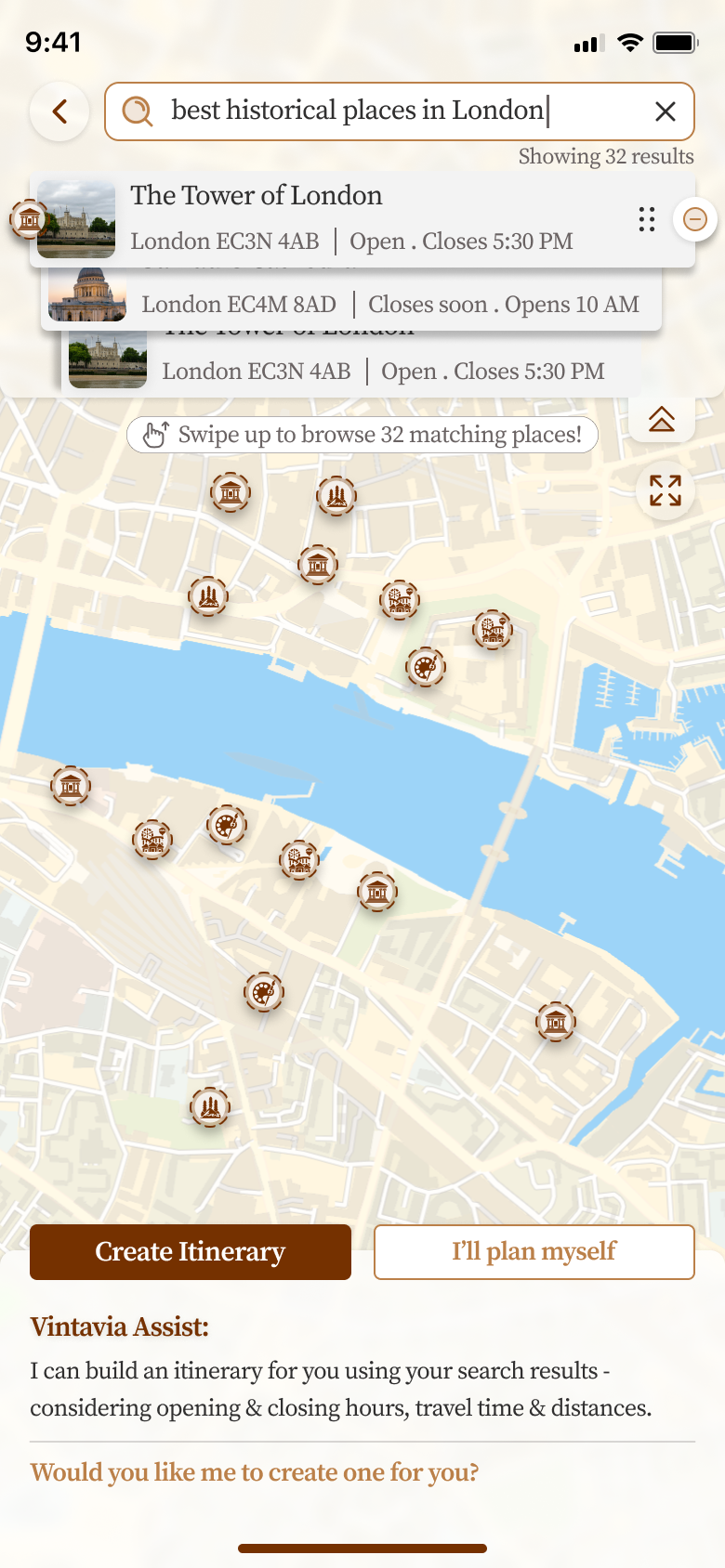
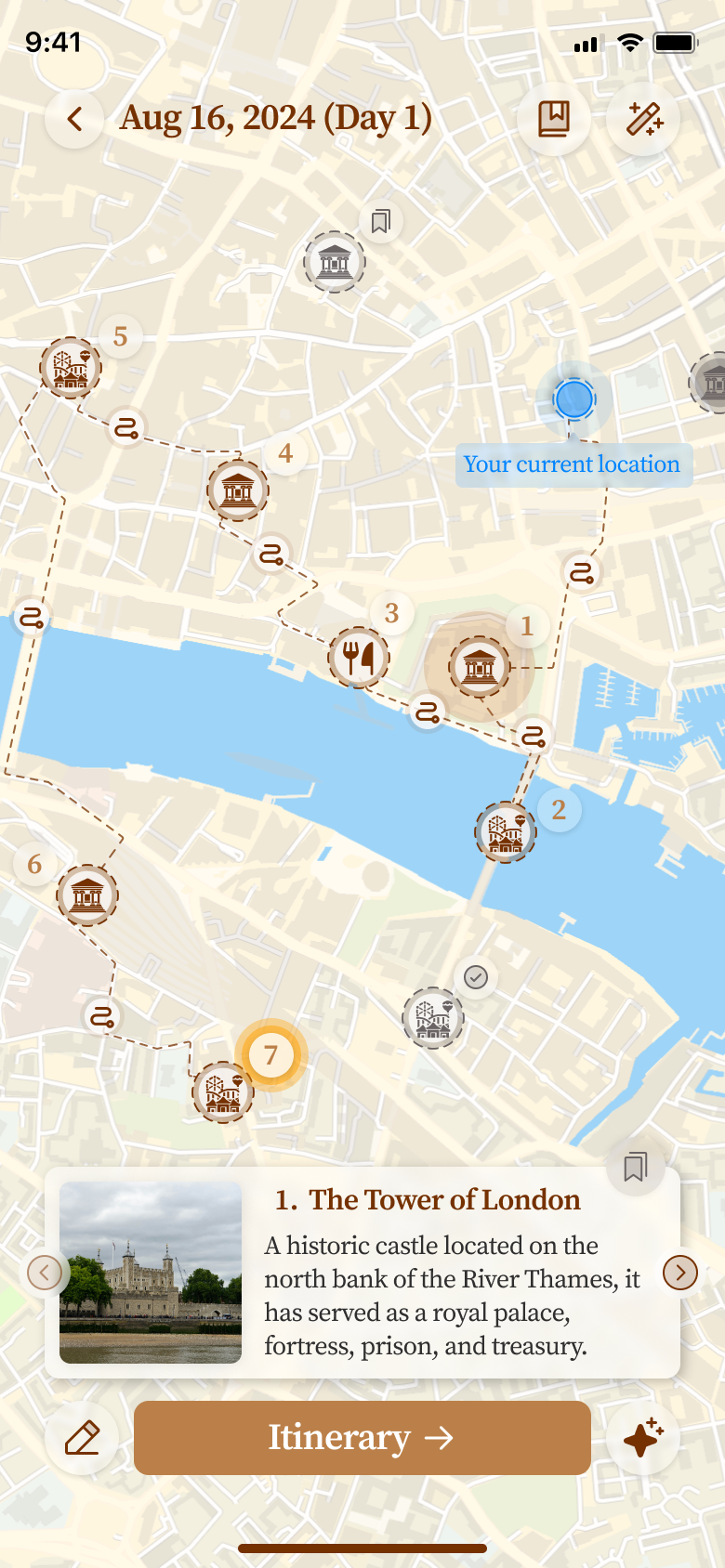
Discover heritage, nature, attractions, and dining around you — and add them into your itinerary with one tap.

Bookmarks & trip progress

Save places, hotels, and dining spots. Track upcoming and past trips with a clean “continue editing” workflow.

Smart pacing

Vintavia keeps travel time, check-in/check-out buffers, and your energy levels in mind — so the plan feels doable.

Export-ready

One-tap PDF download makes it easy to share plans with family, friends, or travel partners.

How to Use Vintavia

Learn how to get the most out of your travel planning experience.

Start planning your trip

1. Start Your Planning Journey

Begin by selecting "I'll plan myself" to take control of your itinerary. Vintavia gives you the flexibility to plan at your own pace, whether you want a fully customized trip or prefer guided suggestions along the way.

  • Choose your destination and travel dates
  • Set your preferences and interests
  • Specify any constraints or special requirements
Search and explore places

2. Search and Explore Places

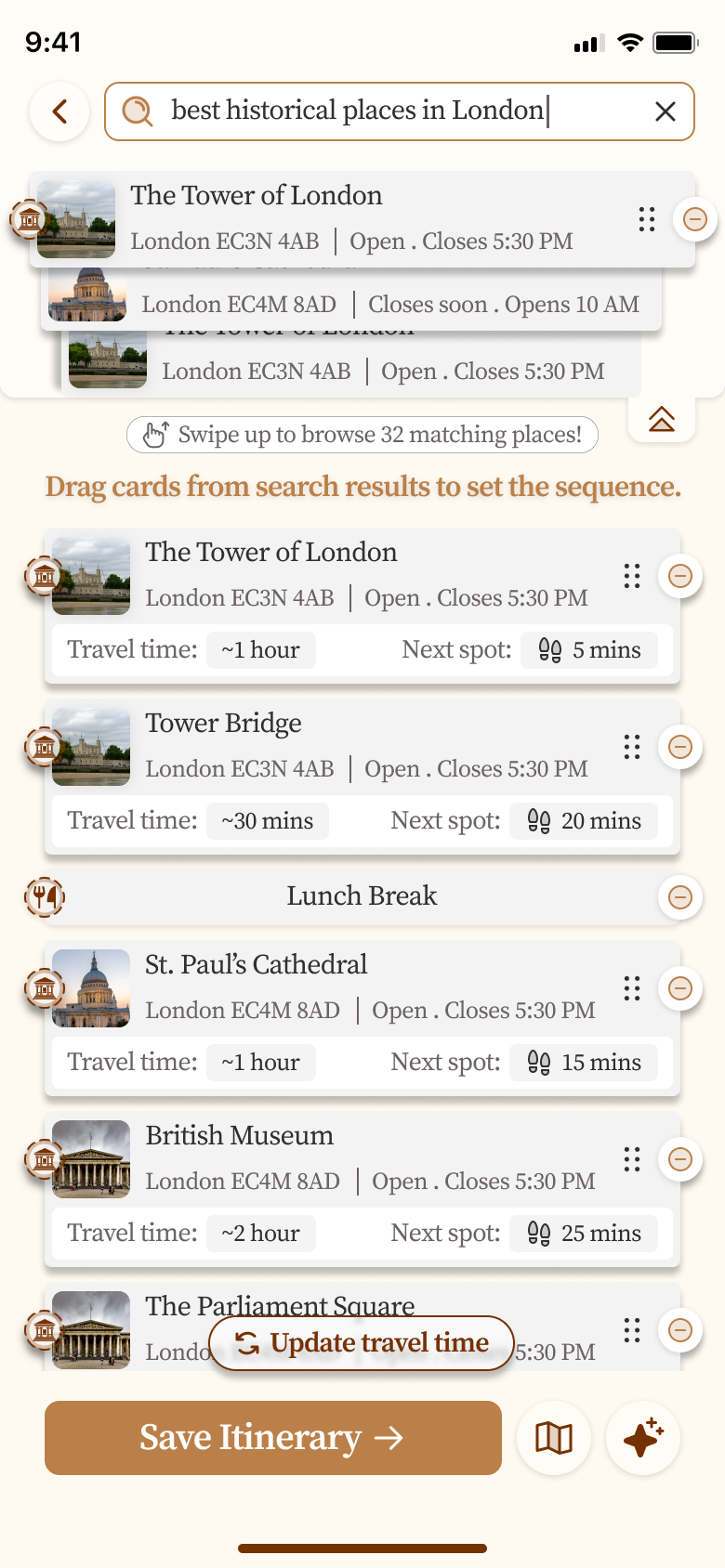
Use the powerful search feature to discover attractions, restaurants, and points of interest. Expand your search to see detailed information about each location, including ratings, reviews, and practical details.

  • Search by category, name, or location
  • Expand results to see full details
  • Filter by your interests and preferences
Build and customize your itinerary

3. Build Your Itinerary

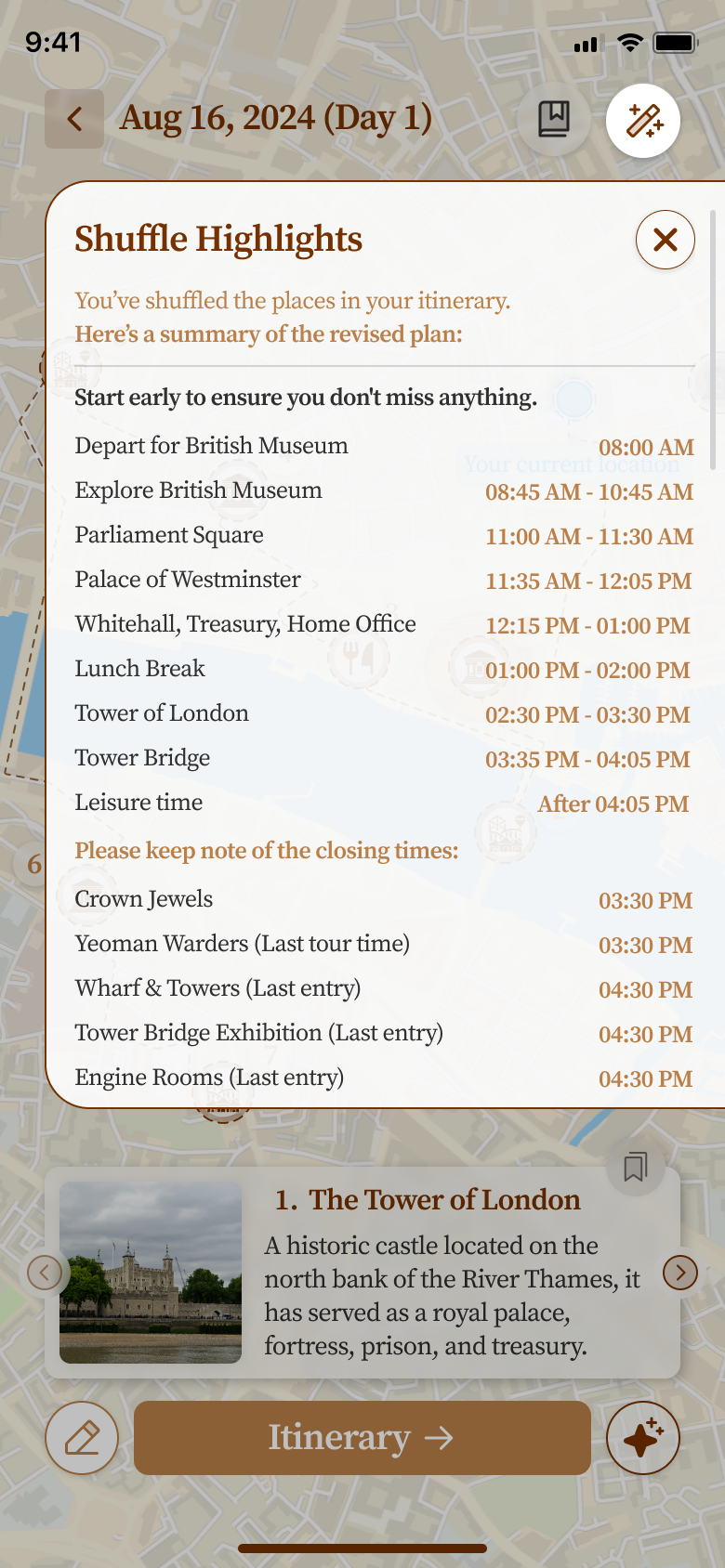
Create your day-by-day itinerary with ease. Shuffle highlights to optimize your route, add or remove activities, and adjust timings to match your pace. Vintavia helps you create a balanced schedule that maximizes your travel experience.

  • Drag and drop to reorder activities
  • Shuffle highlights for optimal routing
  • Adjust timings and durations
View detailed itinerary information

4. Review Itinerary Details

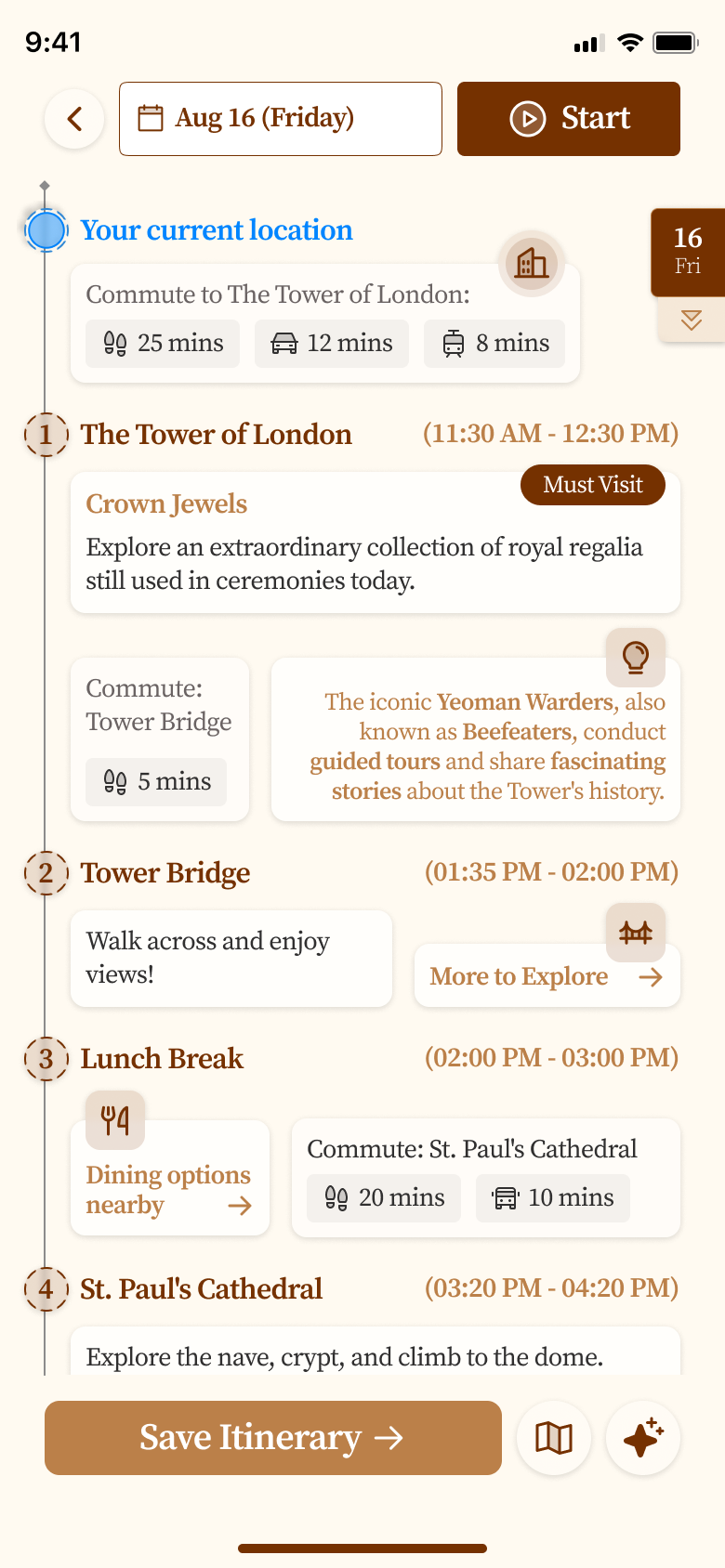
Dive deep into your itinerary to see all the details. View day-by-day breakdowns, travel times between locations, and get recommendations for the best times to visit each attraction.

  • See complete day-by-day schedules
  • Check travel times and distances
  • Review recommendations and tips
Visualize your trip on a map

5. Visualize on Map

See your entire itinerary laid out on an interactive map. This helps you understand the geographic flow of your trip and identify opportunities to optimize your route or discover nearby attractions.

  • View all stops on an interactive map
  • See route optimization suggestions
  • Discover nearby attractions
Get practical information and tickets

6. Access Practical Information

Get all the practical details you need for each location. View ticket prices, opening hours, booking information, and essential tips to make your visit smooth and enjoyable.

  • Check ticket prices and availability
  • View opening hours and closures
  • Access booking links and tips

How it works

Three simple steps to a great trip.

  1. 1

    Tell Vintavia your plan

    Dates, cities, interests, constraints — and anything special (kids, senior citizens, pace).

  2. 2

    Get an itinerary + refine

    Ask for changes like “add lunch at 2 PM” or “swap museums with outdoor places”.

  3. 3

    Explore, bookmark, export

    Use map exploration, save places, and export to PDF for easy sharing.